Game guide · 58BLOG
Know the goal in Minesweeper
Use a short break to learn the rhythm of Minesweeper. Open all 71 safe cells. Opening a mine ends the round. Flags help you mark suspected mines but do not replace opening safe cells. Check the relevant rule before repeating a move. Make your first input carefully and watch the result. Use the example below to understand a decision.
Practice with a purpose
Read one step at a time and try it on the playing area. Match the instruction to the control you use. Notice the feedback after each input.
The challenge in front of you
Open all 71 safe cells. Opening a mine ends the round. Flags help you mark suspected mines but do not replace opening safe cells. Use the instructions to see which actions move you towards it. Check the rules when you are unsure.
The playing sequence
- Open a covered square to reveal it.
- A number counts mines in the surrounding eight positions.
- Right-click to flag on a computer, or enable Flag mode on a phone.
- Use safe deductions to open the remaining cells.
Input guidance
Click/tap to open. Right-click to flag, or use the Flag mode toggle for touch devices. On a smaller screen, keep the active part of the board within view. Use the visible help when you are unsure of the next input.
An example to follow
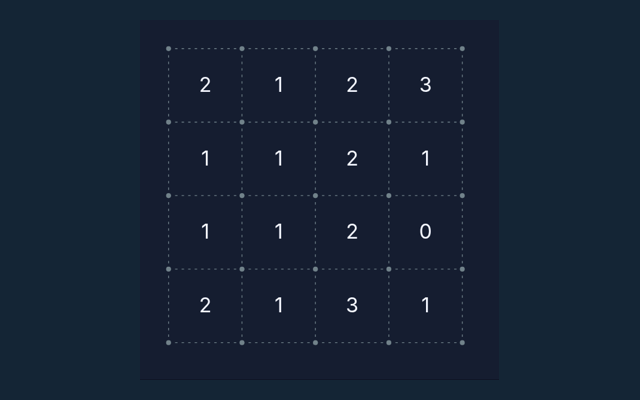
A revealed 1 with only one covered neighbour means that neighbour contains a mine. Apply the same reasoning to the position in your own round. Read the matching step again.
One detail worth checking
A flag is your own note, not a confirmation from the game. Remove a mistaken flag before opening that square. Read the feedback to see why an action did not have the expected result. After a move, check what changed. Decide which rule explains the new state before acting again.
Clarifying the way this game works
For this browser game, what is the goal of Minesweeper?
Keep this in mind: Open all 71 safe cells. Opening a mine ends the round. Flags help you mark suspected mines but do not replace opening safe cells.
For this browser game, how do I control Minesweeper?
The key detail is this: Click/tap to open. Right-click to flag, or use the Flag mode toggle for touch devices.
For this browser game, what example helps explain Minesweeper?
The key detail is this: A revealed 1 means exactly one neighbouring square contains a mine. The clue counts diagonal neighbours as well as the squares directly beside it.
Before I begin, what should I watch out for in Minesweeper?
Keep this in mind: A flag is your own note, not a confirmation from the game. Remove a mistaken flag before opening that square.
While learning, what format does Minesweeper offer?
Keep this in mind: Play using the solo mode shown on this page. Read the controls before starting a new round.
While learning, which play mode does Minesweeper use?
The mode on this page is Solo. Same-device play uses one screen; this game library does not provide internet matchmaking.
When I return, where should I start with Minesweeper?
For clarity: Open a covered square to reveal it.
On this playing page, do I need an account or a payment for Minesweeper?
Here is the relevant explanation: No player account or payment is needed. Game scores are recreational results, not cash prizes.
How can I find Minesweeper again?
The key detail is this: Use the Games list or save this game page in your browser bookmarks. The Guide is linked from the playing page.
As a new player, how do I report an issue with Minesweeper?
The key detail is this: Use the contact form and include the game name, browser, device and the actions that led to the issue. Do not send passwords or payment details.