Game guide · 58BLOG
Lights Out: instructions and practice
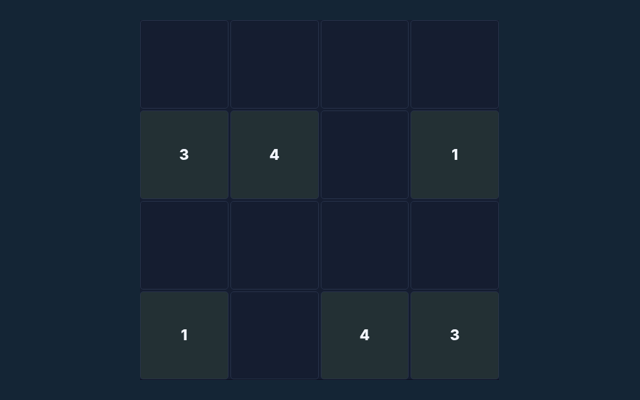
Lights Out gives you a focused activity to play in your browser. Turn every light off. Every supplied starting state is made by valid flips from an all-off board and is therefore solvable. Choose a clear next step rather than rushing through the instructions. Choose a comfortable screen position before beginning. Keep the game area visible while you use its controls.
A small practice goal
When a decision goes wrong, compare it with the common mistake described below. Start again only when you intend to leave the current round. Notice the feedback after each input.
Your objective
Turn every light off. Every supplied starting state is made by valid flips from an all-off board and is therefore solvable. Read that aim before choosing your first action. Keep the controls in easy reach.
How to proceed
- Select a light or an unlit tile.
- The selected tile and its orthogonal neighbours switch state.
- Plan flips so that previously cleared rows stay cleared.
- Use Undo to try another approach.
Your inputs
Use the on-screen controls with a mouse or touch. Use the control method described here for this activity. Contact us with the game and device if a control does not respond.
An example before you play
Tapping the centre changes five cells. Tapping a corner changes three. Diagonal neighbours are not affected. Your next round may have a different position, so inspect it before acting. Look for the relevant detail.
Where a round can go wrong
An unlit tile can still be tapped; it may be necessary to solve the board. Check the rule before repeating the action. Choose one rule to keep in mind for this round. Apply it consistently rather than guessing what another version might allow.
Questions about this game
For this browser game, what is the goal of Lights Out?
Keep this in mind: Turn every light off. Every supplied starting state is made by valid flips from an all-off board and is therefore solvable.
While reading the Guide, how do I control Lights Out?
Use the on-screen controls with a mouse or touch.
While learning, what example helps explain Lights Out?
For clarity: Tapping the centre changes five cells. Tapping a corner changes three. Diagonal neighbours are not affected.
When I return, what should I watch out for in Lights Out?
The key detail is this: An unlit tile can still be tapped; it may be necessary to solve the board.
What format does Lights Out offer?
Keep this in mind: Play using the solo mode shown on this page. Read the controls before starting a new round.
As a new player, which play mode does Lights Out use?
Keep this in mind: The mode on this page is Solo. Same-device play uses one screen; this game library does not provide internet matchmaking.
While learning, where should I start with Lights Out?
For clarity: Select a light or an unlit tile.
While reading the Guide, do I need an account or a payment for Lights Out?
The key detail is this: No player account or payment is needed. Game scores are recreational results, not cash prizes.
Before I begin, how can I find Lights Out again?
Here is the relevant explanation: Use the Games list or save this game page in your browser bookmarks. The Guide is linked from the playing page.
For my first round, how do I report an issue with Lights Out?
Use the contact form and include the game name, browser, device and the actions that led to the issue. Do not send passwords or payment details.