Game guide · 58BLOG
Your guide to Jigsaw Puzzle
Choose a round of Jigsaw Puzzle and settle into its rules. Restore the sixteen image tiles to their correct positions. Check the relevant rule before repeating a move. Choose a comfortable screen position before beginning. Keep the game area visible while you use its controls.
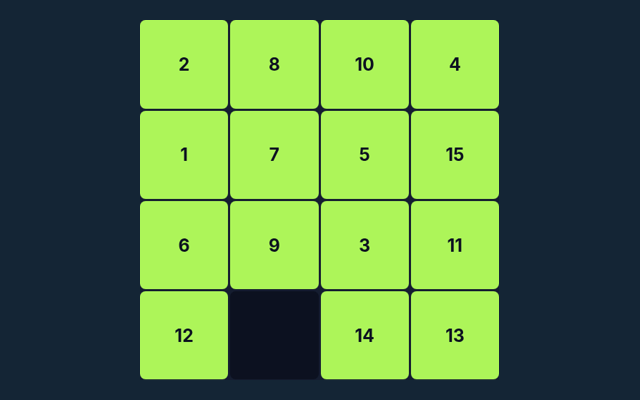
Restore a 4×4 landscape by exchanging two pieces at a time. Progress in this puzzle is not saved after you leave the page.
Practice beyond the first move
Watch the feedback after an action. A message can explain whether the input was accepted or whether a rule needs attention. Use the example to check your reasoning.
Aim for this result
Restore the sixteen image tiles to their correct positions. The feedback beside the game helps you follow the round. Notice how the game responds to your input.
A walkthrough of the rules
- Select two pieces to swap.
- Desktop dragging can also swap tiles.
- Compare edges and the reference picture.
- Complete the image.
Making selections and moves
Tap two tiles; desktop drag-and-drop is also available. Use the control method described here for this activity. Avoid pressing the same control repeatedly while a move is being processed.
Try this example
The horizon should continue across neighbouring tiles. Use the example as a guide rather than a substitute for reading your board. Keep the game’s format in mind.
An important reminder
This is a square-tile swap puzzle, not interlocking freeform pieces. A different version of the game may use a different rule. Choose one rule to keep in mind for this round. Apply it consistently rather than guessing what another version might allow.
Questions about this game
For a quick reminder, what is the goal of Jigsaw Puzzle?
Here is the relevant explanation: Restore the sixteen image tiles to their correct positions.
For a quick reminder, how do I control Jigsaw Puzzle?
Keep this in mind: Tap two tiles; desktop drag-and-drop is also available.
As a new player, what example helps explain Jigsaw Puzzle?
Keep this in mind: The horizon should continue across neighbouring tiles.
As a new player, what should I watch out for in Jigsaw Puzzle?
For clarity: This is a square-tile swap puzzle, not interlocking freeform pieces.
As a new player, what format does Jigsaw Puzzle offer?
Here is the relevant explanation: Restore a 4×4 landscape by exchanging two pieces at a time. Progress in this puzzle is not saved after you leave the page.
When I return, which play mode does Jigsaw Puzzle use?
The mode on this page is Solo. Same-device play uses one screen; this game library does not provide internet matchmaking.
While learning, where should I start with Jigsaw Puzzle?
Keep this in mind: Select two pieces to swap.
On this playing page, do I need an account or a payment for Jigsaw Puzzle?
Keep this in mind: No player account or payment is needed. Game scores are recreational results, not cash prizes.
For this browser game, how can I find Jigsaw Puzzle again?
The key detail is this: Use the Games list or save this game page in your browser bookmarks. The Guide is linked from the playing page.
As a new player, how do I report an issue with Jigsaw Puzzle?
For clarity: Use the contact form and include the game name, browser, device and the actions that led to the issue. Do not send passwords or payment details.